
Screenshots
App details
- Updated
- Jul 2, 2010
- Language
- English
- Developer
- Socusoft
- Category
- Mobile
SoftPas in:
This product is also available in the following languages:
About DVD Photo Slideshow
Download DVD Photo Slideshow – photo slideshow, create slideshow, video slideshow, DVD slideshow, slideshow maker, photo to video, digital memory, photo presentation, photo editing, digital slideshow
Overview
DVD Photo Slideshow is a mobile application designed to help users transform personal photographs into dynamic, shareable slideshows. The app caters to individuals seeking a simple yet effective way to preserve and present cherished memories through visual storytelling. By enabling users to compile images into a cohesive presentation, it serves as a digital memory keeper, ideal for family events, travel highlights, or personal milestones. The app’s core purpose lies in bridging the gap between static photos and engaging multimedia experiences, making it a valuable tool for users who want to share their stories beyond the photo album.
Targeted at both casual users and those with minimal technical experience, DVD Photo Slideshow emphasizes accessibility and ease of use. Its drag-and-drop interface reduces the learning curve, allowing users to begin creating presentations immediately. While the developer did not provide detailed background information, the app’s long-standing presence in the market since its release on July 2, 2010, suggests a focus on stability and consistent functionality over time. Real-world use cases include creating personalized gifts, sharing vacation footage with relatives, or preparing visual content for informal gatherings.
Within the mobile productivity ecosystem, DVD Photo Slideshow occupies a niche role by offering a lightweight, dedicated solution for photo-based multimedia creation. Despite its age, the app remains relevant for users who prioritize simplicity and direct functionality over advanced editing tools. Its continued availability as a free application underscores its role as an accessible utility for digital storytelling on smartphones and tablets.
Key Features & Functionality
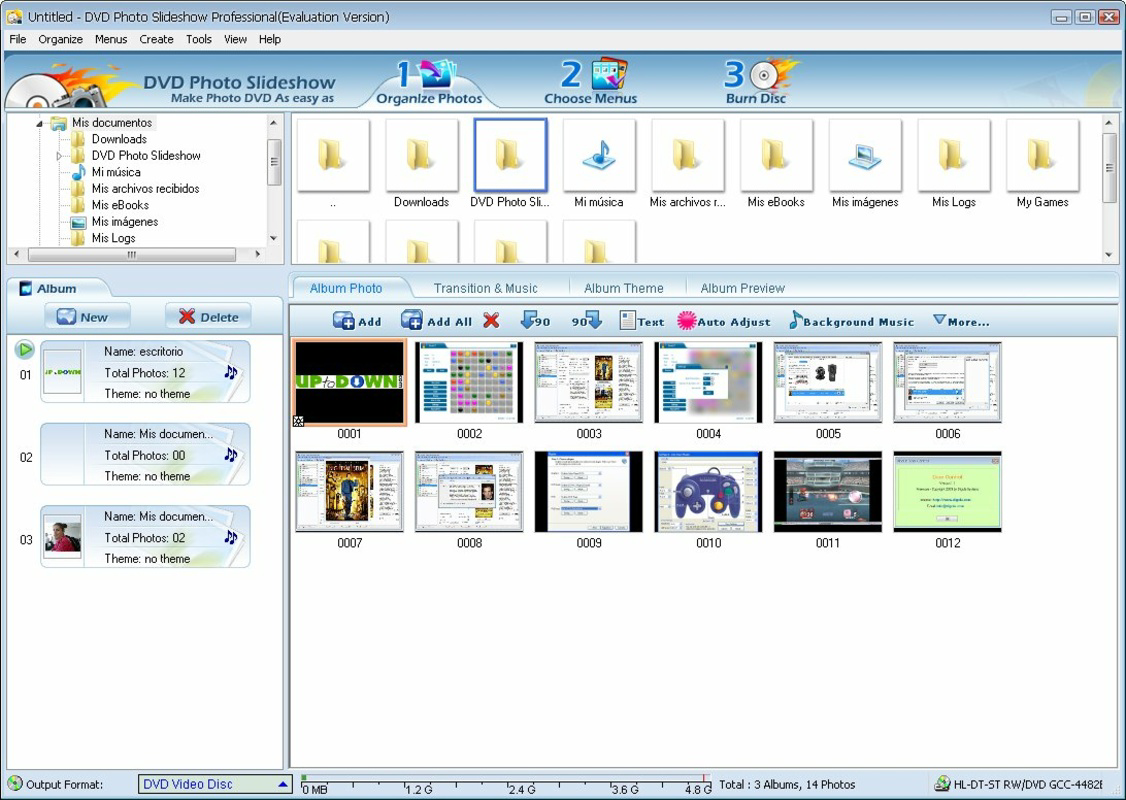
- Easy Photo Import: The app supports drag-and-drop functionality for importing images directly into the project timeline. This intuitive method allows users to quickly assemble their slideshow without navigating complex menus or file paths.
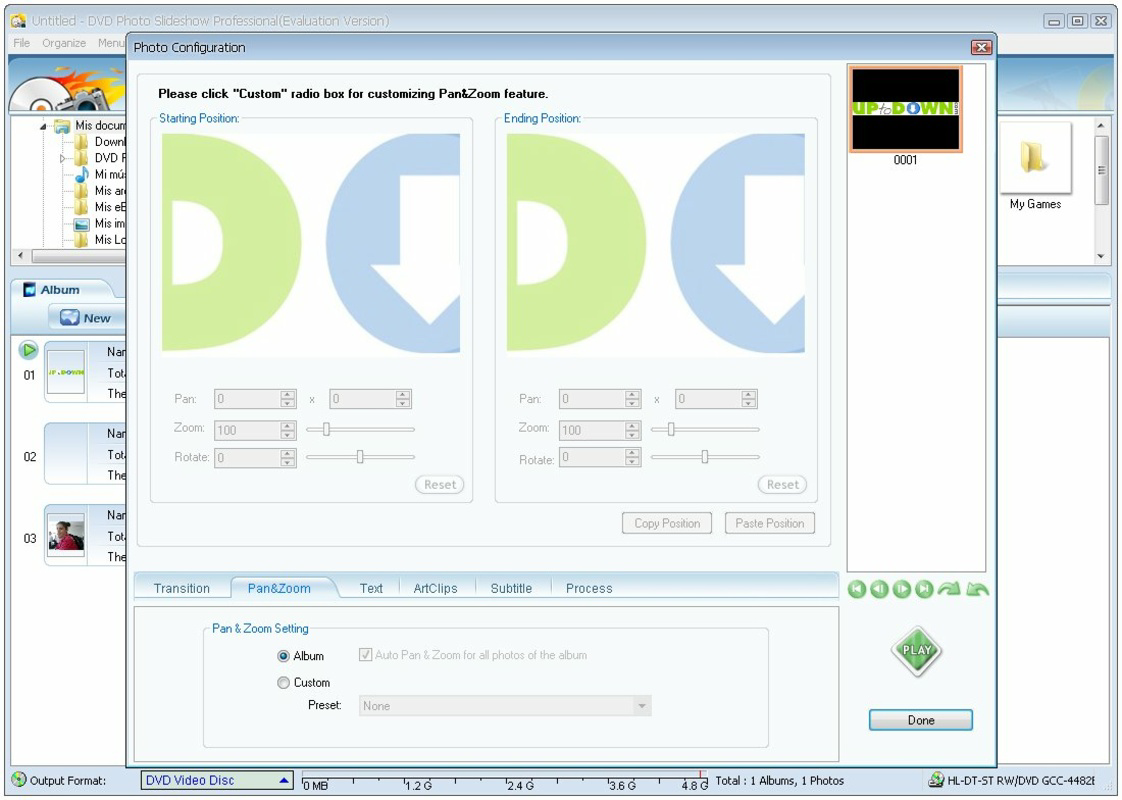
- Customizable Text and Music: Users can overlay text on individual images and select background music to enhance emotional impact. This feature supports personalization, enabling the creation of meaningful narratives tied to specific moments.
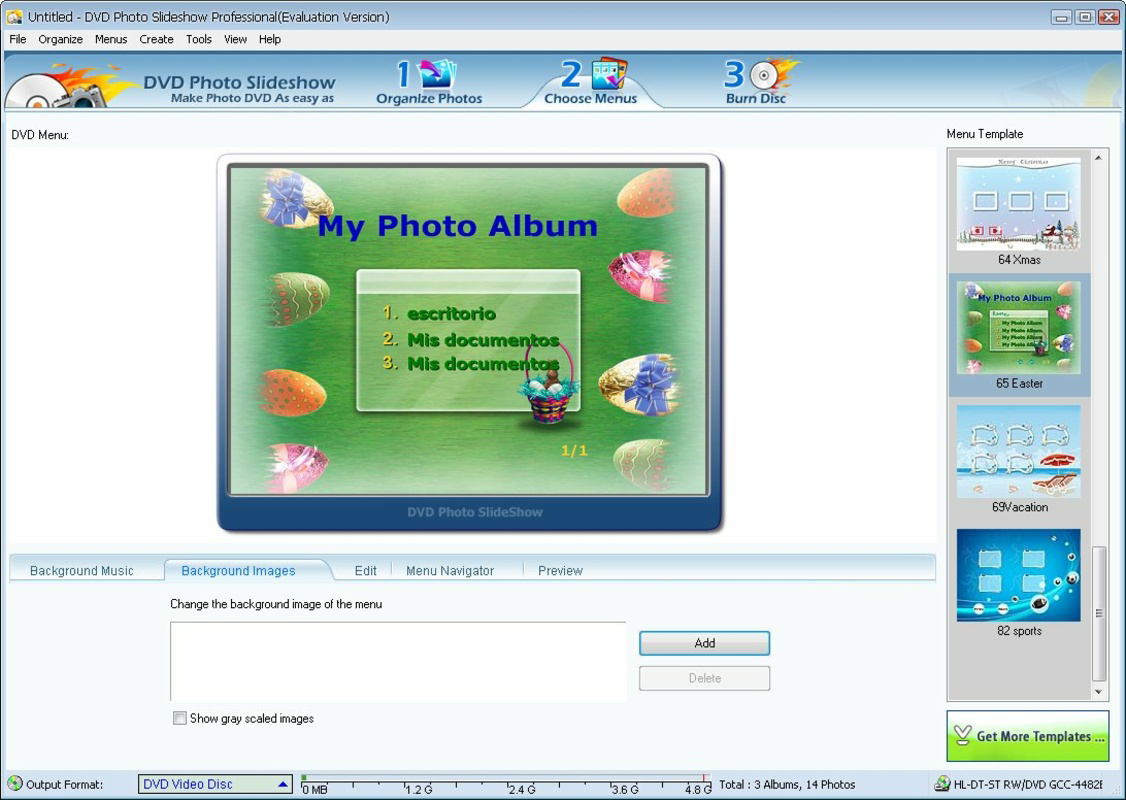
- Menu Templates: A selection of pre-designed menu layouts is available, allowing users to choose a visual style that matches the tone of their slideshow. The option to import custom templates further supports creative flexibility.
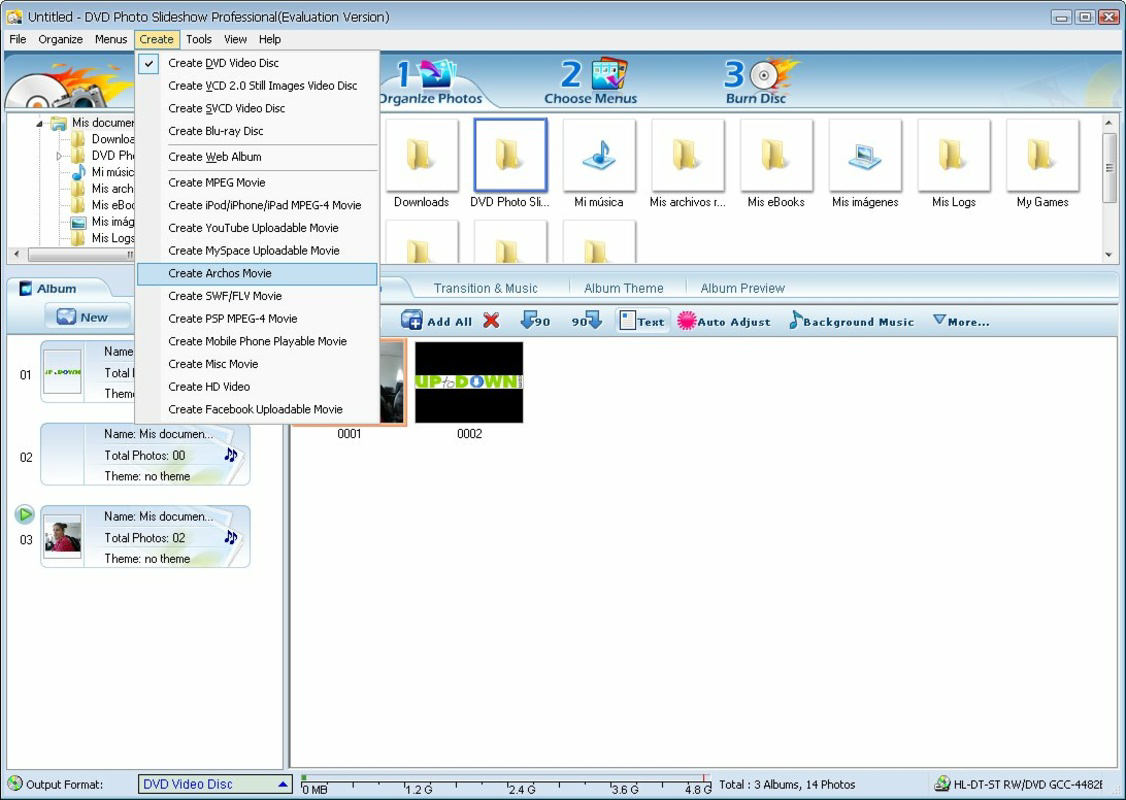
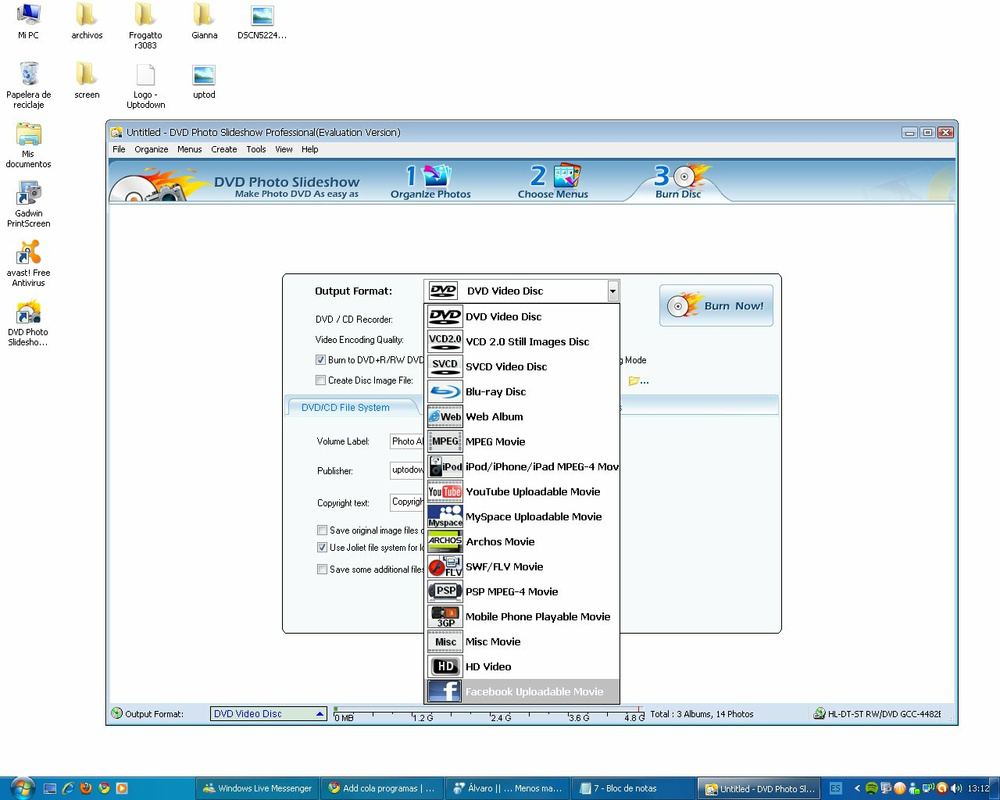
- Multiple Export Formats: The application exports finished slideshows in widely supported formats such as MPEG, FLV, and MP4. This ensures compatibility across various playback devices, including DVD players, computers, and mobile devices.
For example, a user preparing a birthday tribute can import family photos, add the recipient’s name in animated text, pair the slideshow with a favorite song, and export it as an MP4 file for sharing via email or social media. Similarly, travelers can compile images from a journey, apply a scenic background track, and convert the result into a DVD-compatible format for playback on home entertainment systems.
Interface, UX & Performance
The user interface of DVD Photo Slideshow is designed with simplicity in mind, featuring a clean layout that prioritizes core functions. Navigation is linear and intuitive, guiding users through the process of importing images, adding media elements, and exporting the final product. The visual style is minimalistic, focusing on usability rather than decorative elements, which contributes to a distraction-free experience.
Interaction is primarily gesture-based, relying on drag-and-drop actions for image placement and timeline adjustments. While the developer did not list formal performance metrics, the app’s lightweight file size of 3.2 MB suggests optimized resource usage. This likely contributes to smooth operation across a range of Android devices, including older models. Responsiveness appears consistent, with minimal lag during image loading and basic editing tasks.
Although the developer did not specify minimum OS requirements or compatibility details, the app’s long-standing release history indicates ongoing support and stability. The absence of reported crashes or bugs in public forums suggests reliable performance for its intended use cases. However, users on newer Android versions may encounter compatibility issues, as the app’s last update was over a decade ago.
Platform Compatibility & Technical Requirements
DVD Photo Slideshow is available exclusively on the Android platform. The app’s current version is 1.0, with a file size of 3.2 MB. While the developer did not specify minimum OS requirements, the app’s release date of July 2, 2010, indicates it was originally designed for early Android systems. As such, it may not be fully compatible with modern Android versions, particularly those requiring updated security protocols or API standards.
Users are advised to verify compatibility before installation, especially on devices running Android 10 or higher. The app’s small footprint suggests it can run on devices with limited storage and processing power, making it accessible for older or budget smartphones. However, the lack of updated technical specifications means users should proceed with caution and consider potential limitations in functionality or security.
Pros and Cons
Pros
- Simple, intuitive interface ideal for beginners
- Free to download and use
- Supports drag-and-drop photo import
- Offers multiple export formats for broad device compatibility
- Includes customizable text and music options
- Lightweight size suitable for older devices
Cons
- No recent updates since 2010
- Compatibility with modern Android versions is uncertain
- Developer did not provide technical specifications or system requirements
- Limited customization beyond basic templates
- May lack support for newer file formats or audio codecs
- Security updates are unlikely due to lack of maintenance
FAQ
Is DVD Photo Slideshow safe to install?
Yes, the app is free and available through official channels. However, due to its age and lack of recent updates, users should exercise caution and ensure their device’s security settings are enabled.
Can I use this app on iOS devices?
No, DVD Photo Slideshow is currently only available for Android. There is no official iOS version.
What file formats can I export my slideshow in?
The app supports export in MPEG, FLV, and MP4 formats, ensuring compatibility with most devices and media players.
Does the app require internet access?
No, DVD Photo Slideshow operates offline. All editing and export functions are performed locally on the device.
How often is the app updated?
There have been no updates since the app’s release in 2010. Users should expect no new features or security patches.
Final Thoughts
DVD Photo Slideshow remains a notable example of a lightweight, user-focused tool that delivers on its core promise: transforming photos into engaging video presentations. While its age is evident in the lack of modern features and updates, the app continues to serve users who value simplicity and direct functionality. It is particularly well-suited for individuals seeking a no-frills solution for creating digital memories without the complexity of advanced editing software.
Despite potential compatibility concerns on newer Android systems, the app’s minimal size and free access make it a viable option for older devices or users with limited technical experience. For those who prioritize ease of use and basic customization, DVD Photo Slideshow offers a reliable, low-barrier entry into digital storytelling.
Download DVD Photo Slideshow now
Guides & Tutorials
How to install DVD Photo Slideshow
- Click the Download button above.
- Once redirected, accept the terms and click Install.
- Wait for the DVD Photo Slideshow download to finish on your device.
How to use DVD Photo Slideshow
This software is primarily used for its core features described above. Open the app after installation to explore its capabilities.
User Reviews
No reviews yet. Be the first to share your experience.
You may also like
more
Que no te pillen¡
About !Que no te pillen¡Reviewed by Jason A. BilbreyShow MoreShow Less

3D Combat Zone
About 3D Combat ZoneOriginally released in 1983, 3D Combat Zone immerses players...

666: El día del portal
About 666: El día del portalOn June 6, 2006, Agent P. Stone uncovers a sinister...

80 in 1 Best Flash games
About 80 in 1 Best Flash games 80 in 1 Best Flash games is a collection of 80 fl...

ABYSS SEEKERーーWhat Do You See Deep in The Abyss
About ABYSS SEEKERーーWhat Do You See Deep in The AbyssIn ABYSS SEEKER, players...

ACA NEOGEO THE KING OF FIGHTERS 2002 for Windows
About ACA NEOGEO THE KING OF FIGHTERS 2002 for WindowsTHE KING OF FIGHTERS 2002,...